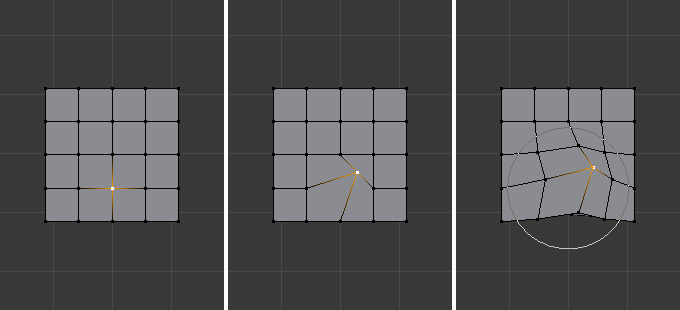
Proportional Editing in Blender is a way of transforming selected elements while also affecting the nearby unselected elements. The farther away an unselected element is, the less it will be affected (hence the “proportional”). This feature is very useful for smoothly deforming dense meshes.
Shortcut: O
Mode: Object and Edit Mode Location:
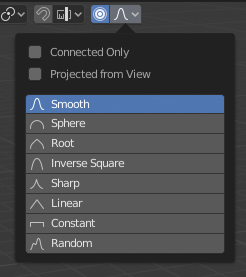
Header ‣ Proportional Editing
You can increase or decrease the radius of the tool’s influence during a transform operation from the Proportional Editing popover or with WheelUp/WheelDown, or PageUp/PageDown respectively. As you change the radius, the points surrounding your selection will adjust their positions accordingly.
More info: Proportional Editing Blender